
Create a template from a JSON definition
Requirements
- A role with the privilege to create templates.
- A JSON file from Export as JSON, see Export a template as JSON and import a draft, or the template structure the API returns.
- The new UI. The import is not offered in the classic UI or in embedded sessions.
Steps
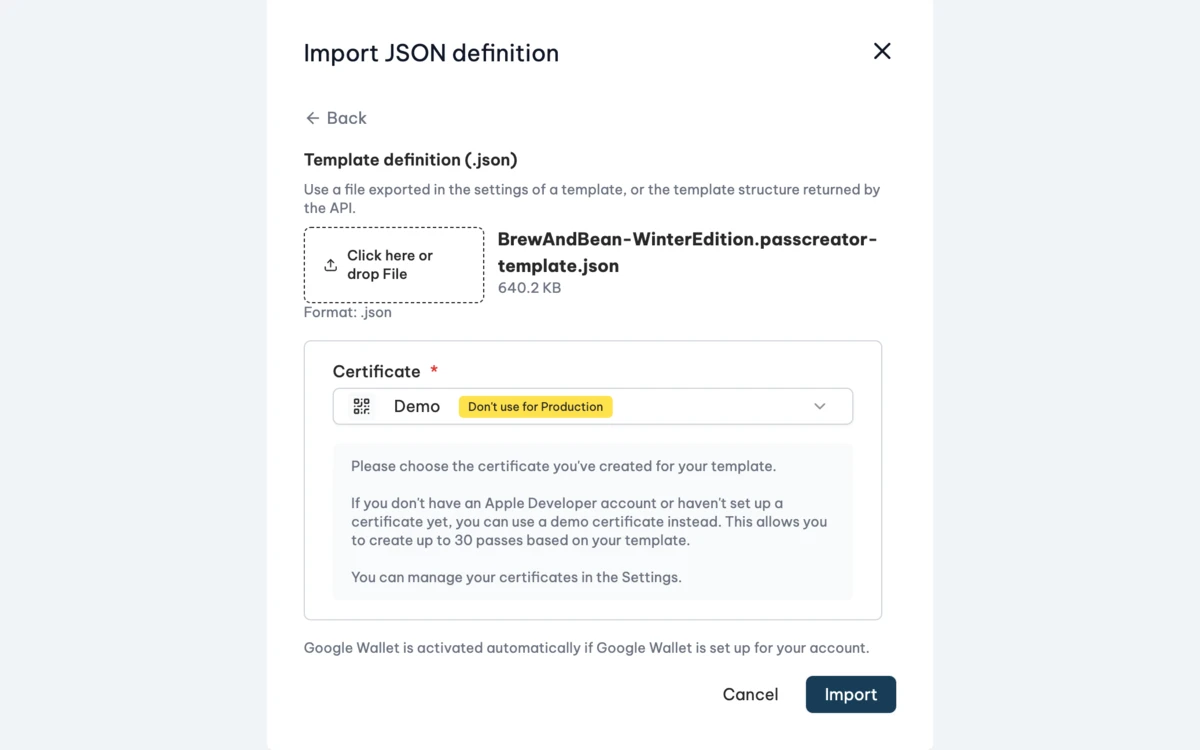
- Go to Templates and click + Template.
- Choose JSON definition.
- Select the
.jsonfile and choose the Certificate. - Click Import.
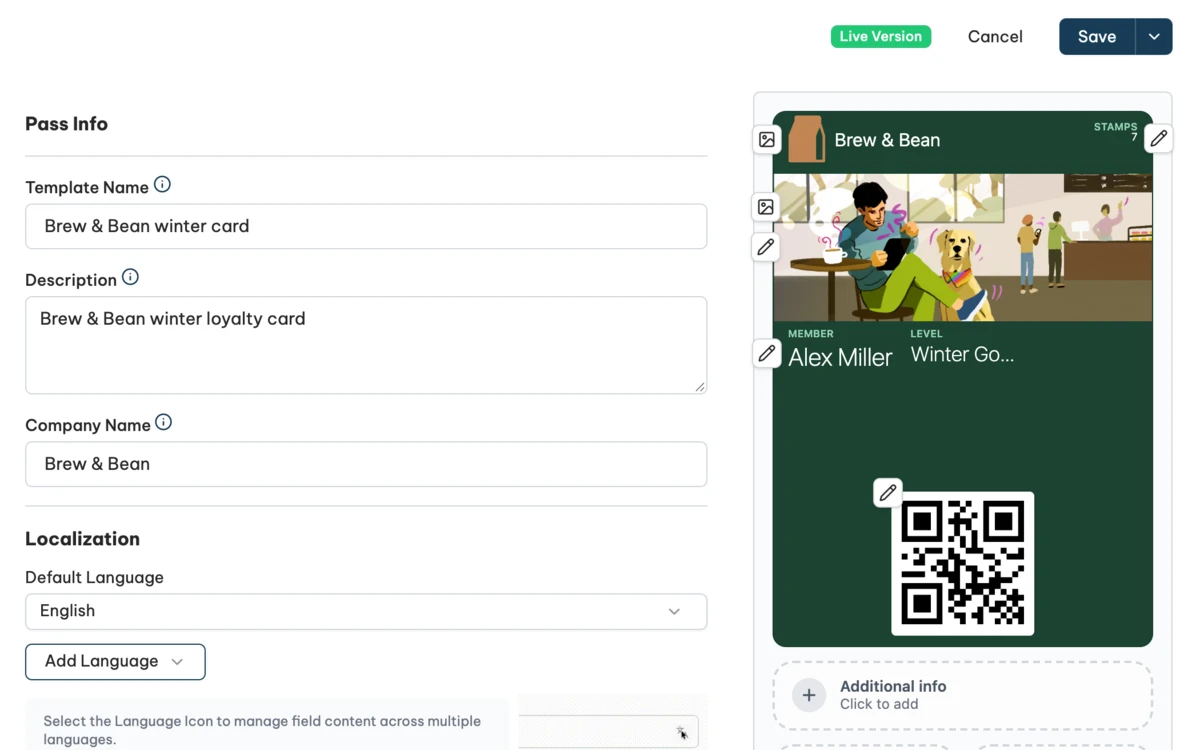
The template editor opens with the new template. If some parts could not be taken over, the list Not imported appears first.
What Passcreator removes
A definition often comes from another account. Passcreator removes everything that points to objects of that account. Set these again if you need them.
- The certificate. Passcreator uses the one you chose in the dialog.
- The project.
- The NFC certificate.
- Email templates in the delivery options.
- Validation locations and the link to the validation app.
- The IDs of loyalty tiers. The tiers themselves stay.
- The secret of the advanced download security.
Images are embedded in the export file and uploaded again. Image URLs are loaded if they are publicly reachable, up to 10 URLs per import and 4 MB each.
If the internal name of the definition is already taken in your account, Passcreator leaves it out.
How to check it worked
Go through the list Not imported and set the removed assignments again, such as the project, email templates, validation locations and translations. Check the preview, then publish the template, see Publishing changes and template versions.
Things to check
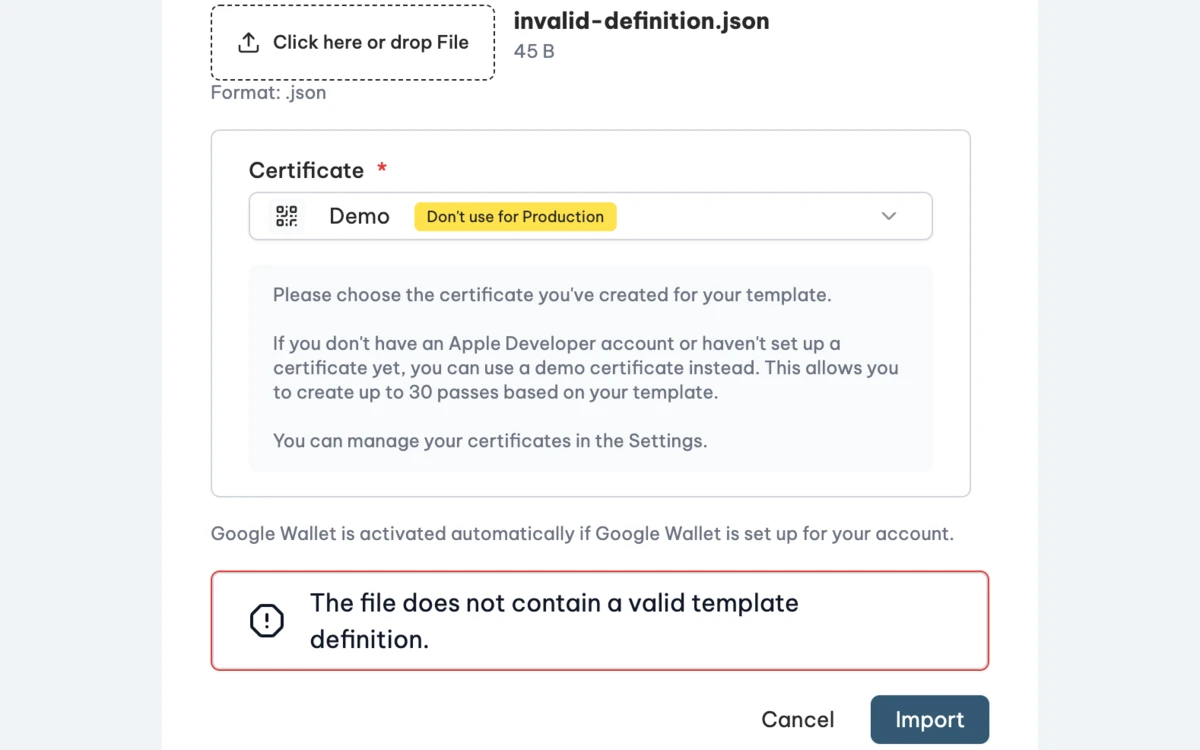
- The file does not contain a valid template definition. The file is JSON, but not a template. Use a file from Export as JSON.
- The file is too large. The file can be up to 20 MB.
- An image of the file could not be imported. An embedded image is damaged or too large.
- The import failed. The template does not pass validation, for example because a mandatory field is missing. The message names the detail.
Checked 2026-11-11 · Documentation