
A tour of the interface
The dashboard
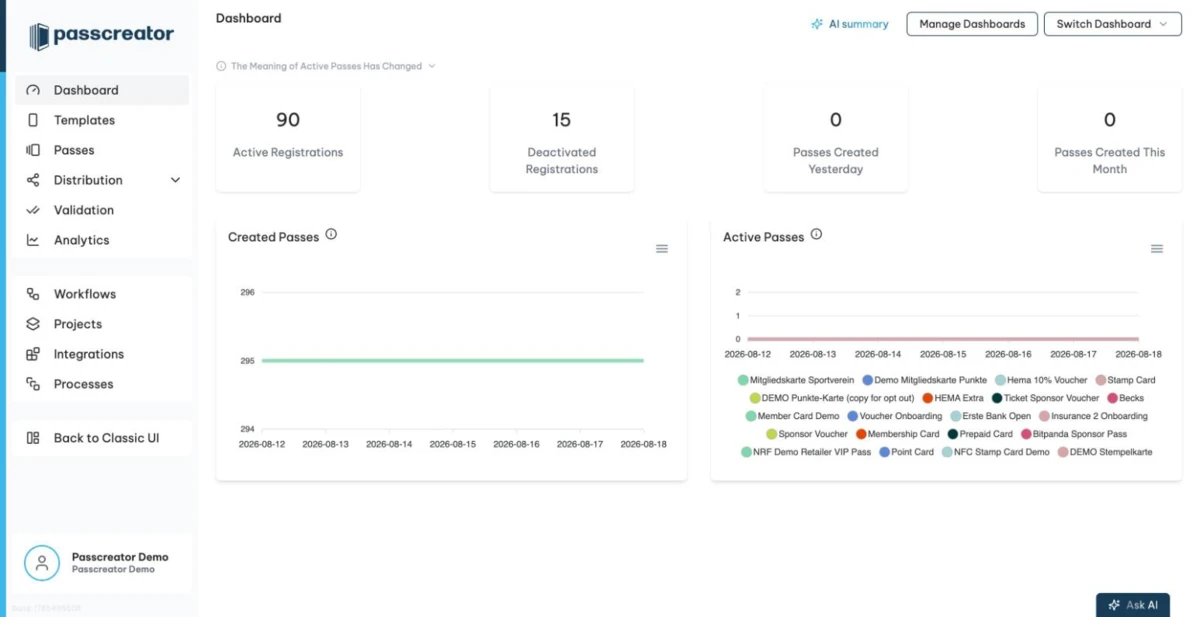
After logging in you land on the Dashboard. It shows announcements and four key figures. These are Active Registrations, Deactivated Registrations, Passes Created Yesterday and Passes Created This Month. Below them you find charts of created passes and of passes that are active. You can build additional dashboards with your own widgets via Manage Dashboards. See Custom dashboards.
The sidebar
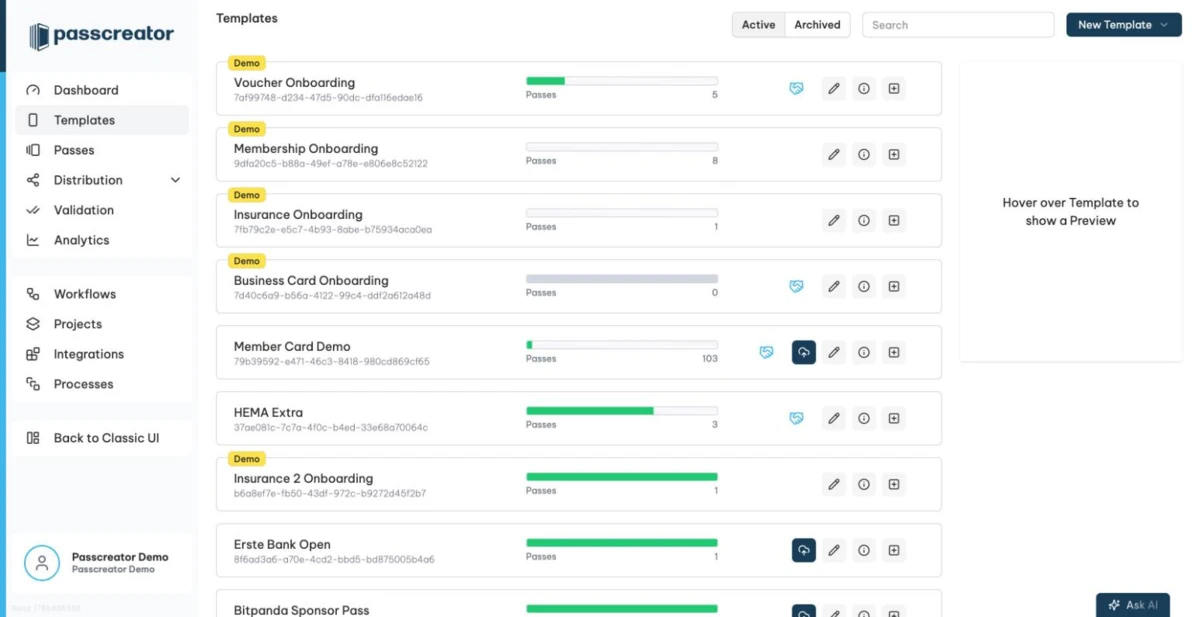
The main navigation sits in the left sidebar, with your company logo at the top.
- Dashboard is the start page you see after logging in, with analytics widgets.
- Templates lists your pass templates. From here you create new templates and open the template editor and the template details. When you hover a template, a live pass preview appears on the right.
- Passes lists all individual passes, with search, quick filters and Advanced Search for building segments.
- Distribution expands into three entries.
- Send Passes holds your email and SMS sendout jobs.
- Forms holds the web forms that let customers create their own pass.
- Email templates holds reusable email designs for your sendouts.
- Validation holds the app configurations for the Smart Scan app and a link to scanned passes.
- Analytics offers account wide reporting on passes, registrations and wallet apps.
- Workflows opens the Workflow Engine for automation. It is an optional add on.
- Projects groups templates, bundles passes and manages opt out flows.
- Integrations covers URL integrations, iFrames, FTP jobs, Google Analytics and webhooks.
- Processes lists the bulk processing jobs that create, update or delete passes from CSV files.
Your name and avatar at the bottom of the sidebar open the profile menu.
- Profile holds your personal information, password, language and two factor authentication.
- Account holds the company level administration with the pages Company, User Management, Roles and Permissions, NFC Requests, Privacy, Security, AI settings, Contracts and Theme.
- Subscription lets you review or manage your subscription, invoices and additional services.
- Settings holds Certificates, API Keys, Connected Accounts, Global Variables and Sendout Settings.
- Tools holds the utilities Query Helper, QR Generator, Signed link generator and Integration link generator.
- Logs is a unified log browser with the sources Audit, Scanned Passes, Webhooks and Messages.
The menu also contains a Documentation link to this knowledge base and Take the tour, which replays the guided introduction from your first login.
Free accounts show an Upgrade now button above the profile menu. It appears for users with the permission to manage the subscription.
The header
The header above the main content offers a way back to the dashboard and the entry point for the AI assistant. The assistant answers questions about your data and helps you write texts. See AI assistant and AI settings.
Next step
Continue withHow do I create my first pass?Checked 2026-08-20 · Documentation