
What is Passcreator?
Wallet passes
Wallet passes are, in most cases, a digital representation of a physical card. Familiar examples are boarding passes, store cards, coupons, membership cards and event tickets. You can use them for almost anything, from stamp cards to digital business cards.
Passes live in a wallet app on the pass holder's phone. On iPhones this is Apple Wallet. On Android devices it is Google Wallet, Samsung Wallet or the third party PassWallet app. Once a holder saves a pass, you can update its content at any time and reach them with push notifications.
How Passcreator works
In Passcreator, every pass comes from a template. The template defines the shared properties of your passes. These are the pass type, colors, images, fields and your company's contact information. The pass type is store card, coupon, event ticket, generic pass or boarding pass.
A pass is the individual copy that belongs to one pass holder. You can add personalized fields to a template, for example the holder's name. Passcreator then asks for that information whenever you create a pass. This way, one template produces thousands of individual, personalized passes.
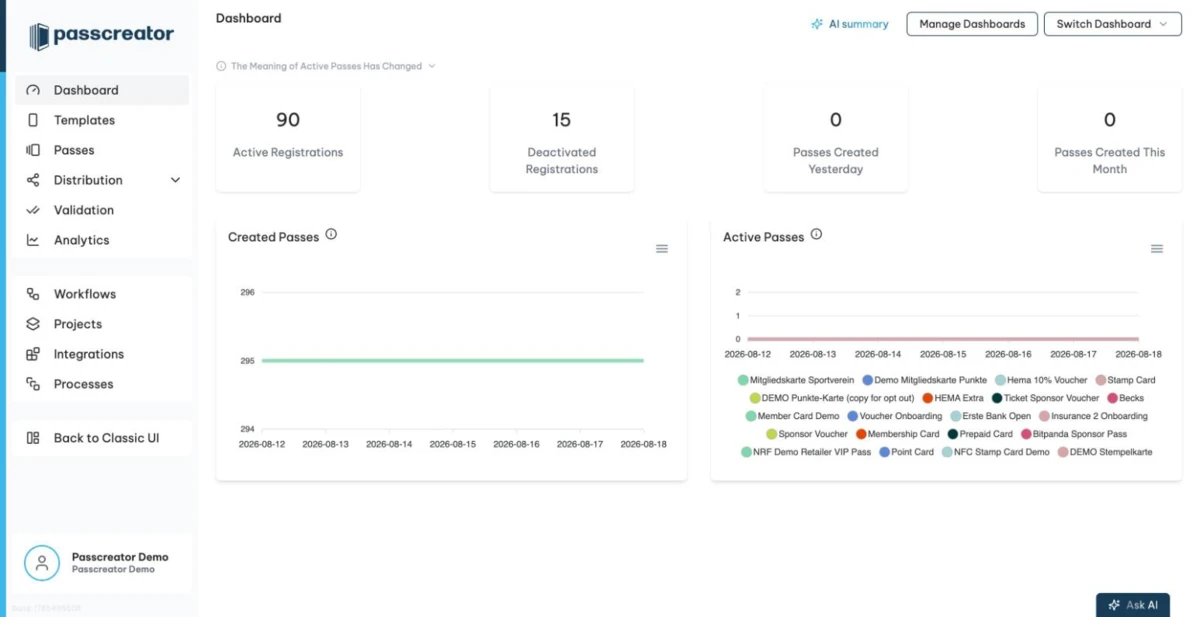
You work with Passcreator in your browser. After logging in you land on the Dashboard, which shows key figures about your passes. From the sidebar you navigate to Templates, Passes, Distribution, Validation, Analytics and more.
Delivering passes
Every pass you create has a unique URL that leads to a download page. The page recognizes the pass holder's device and shows the right option. On iPhones this is an Add to Apple Wallet button, on Android a Save to Google Wallet button. Which wallet apps appear depends on how you configure the template.
All you need to do is get the link to your pass holders. There are many ways to do that.
- Send it via email or SMS with a sendout.
- Let customers request their own pass through a form on the web.
- Print the link as a QR code, embed it on your website, or add it to an ad.
- Create passes automatically via the REST API, integrations or workflows.
Updating passes and push notifications
Passes stay connected to Passcreator after the holder saves them. You can change text, images or other content later and publish the changes to all phones that store a pass. Whether the holder sees a push notification when a pass changes depends on the operating system and the wallet app. See How Wallet push notifications work.
Next step
Continue withKey concepts and terminologyChecked 2026-08-20 · Documentation