
The digital stamp card for your business. No app, right in the wallet.
Your customers scan a QR code and your stamp card is in Apple Wallet or Google Wallet. You stamp it at the till with your phone. No card gets lost, and you reach your regulars right on their lock screen.
How the digital stamp card works
You don't need your own app, a till system or a developer. Four steps, and your customers collect stamps on their phones.
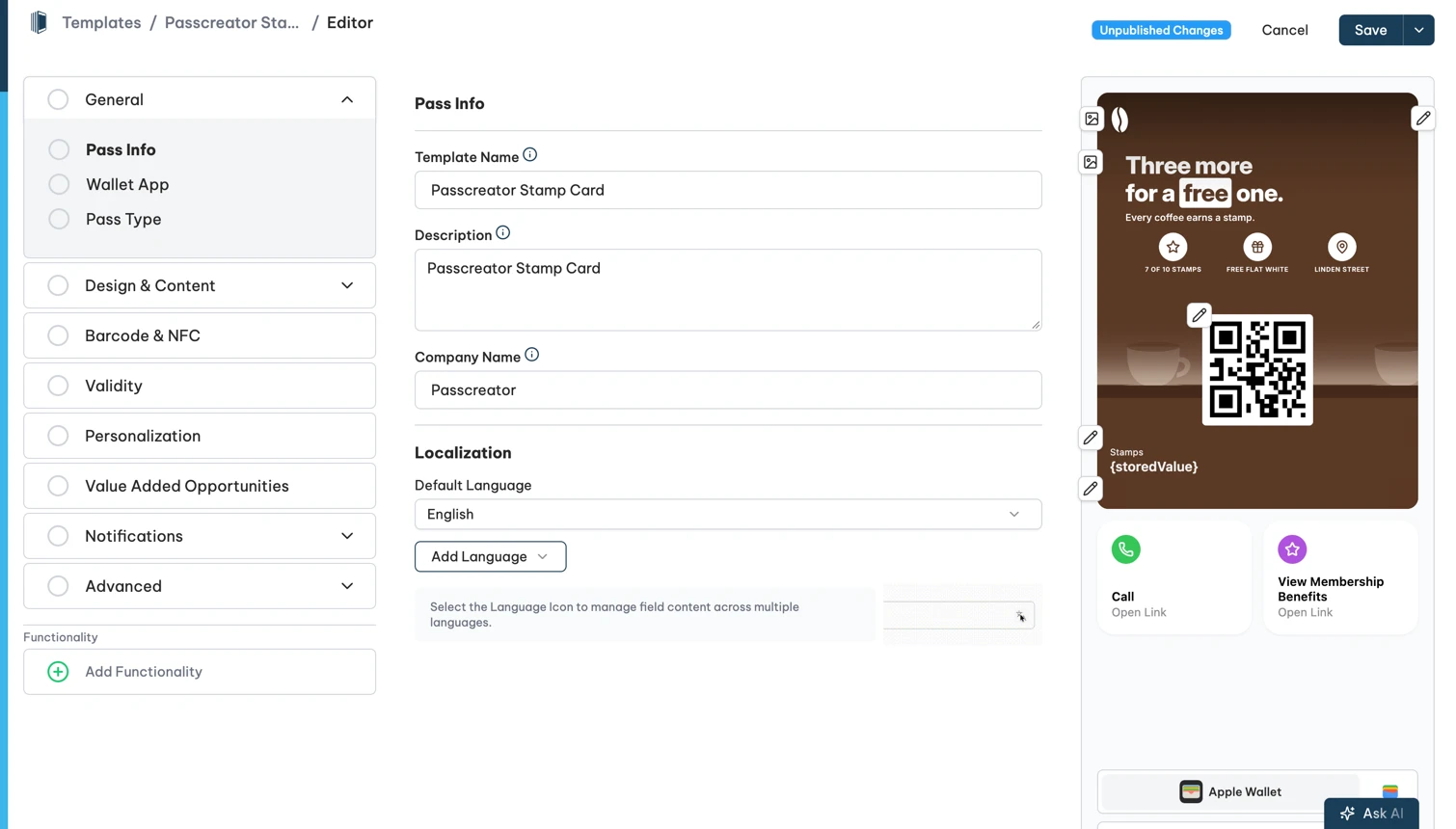
- Design the card. In the editor you set your logo, colours, the number of stamps and the reward. The stamp card is a ready-made feature in Passcreator, so there is nothing to program.
- Put out the QR code. Place the QR code at the till, on the tables or in the shop window. Whoever scans it signs up on your sign-up page and saves the card to Apple Wallet or Google Wallet with one tap.
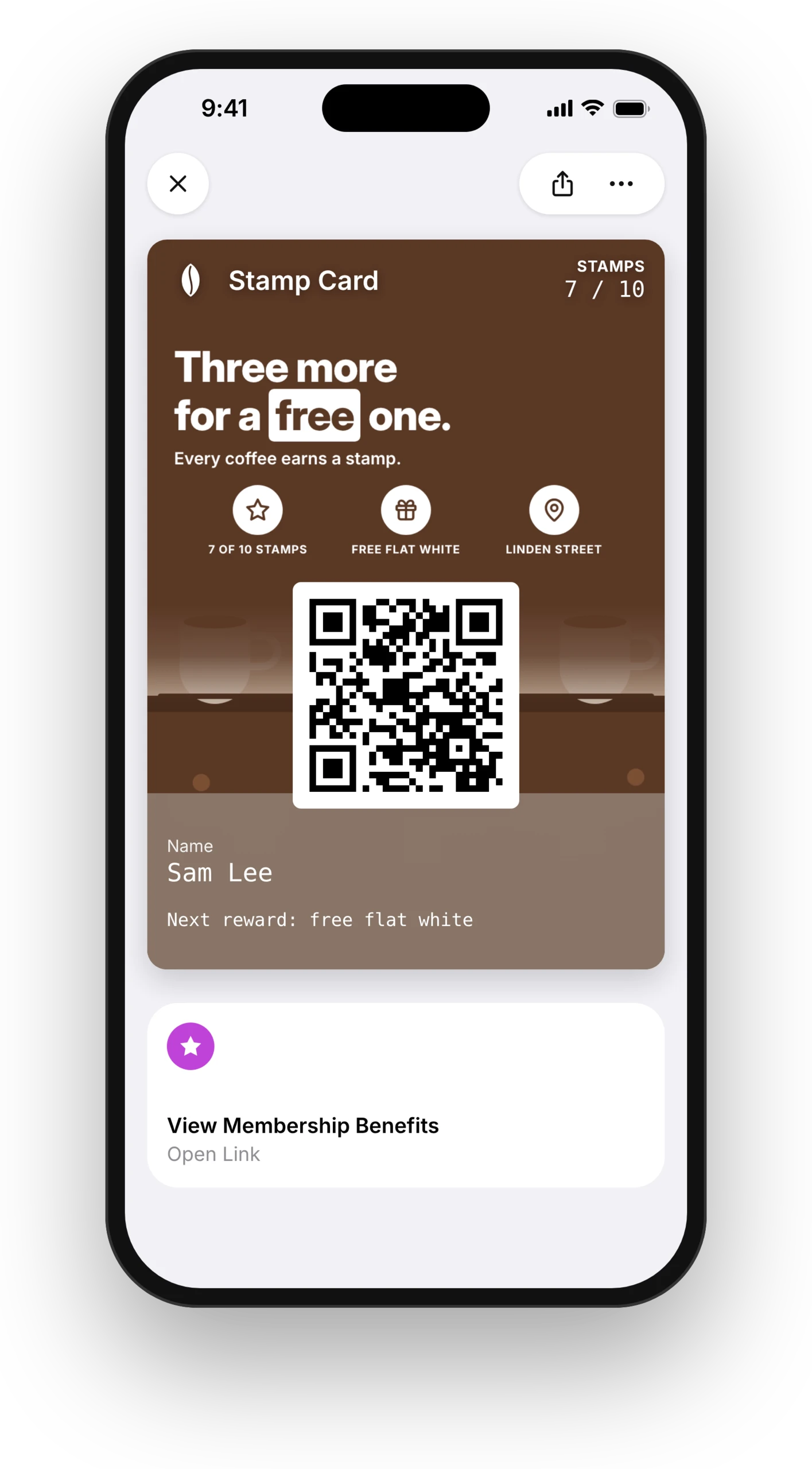
- Stamp at the till. You or your staff scan the card with the Smart Scan app on a phone or tablet. Every scan adds one stamp, and the card in the wallet shows the new count right away.
- Hand out the reward. When the card is full, you hand out the reward. The next scan starts the card over automatically.
What the digital stamp card does for you
No more lost cards
Paper cards stay in the other jacket, go through the wash or end up in the bin. The digital stamp card sits in the wallet on your customer's phone, next to their boarding pass and credit card. They always have it with them.
Your card shows up when it's needed
With location-based notifications, the phone shows the stamp card on the lock screen as soon as your customer is near your shop. Nobody has to search for it at the till.
You reach your regulars directly
You send a push notification to the lock screen, for example for a weekend offer. With the Workflow Engine this also runs automatically, for example a message to everyone who hasn't been in for 30 days.
You see who comes back
The dashboard shows how many cards are active and how many stamps were collected. With segments you message only the customers who are close to their reward.
Changes reach every card
Want to change the reward or the design? You change the template, and every card in your customers' wallets updates. Nothing needs reprinting.
Paper or digital?
The paper card has done its job for a long time. This is how the two compare day to day.
| Paper card | Digital stamp card | |
|---|---|---|
| Card forgotten or lost | happens all the time | sits in the wallet on the phone |
| Customer needs an app | no | no |
| Running costs | printing and stamps | start for free, from €16 a month |
| You know who your regulars are | no | yes, in the dashboard |
| Message your regulars | not possible | push notification on the lock screen |
| Faking stamps | possible with a similar stamp | stamps only come from a scan with the Smart Scan app |
| Changing reward or design | print new cards | change the template, every card updates |
Paper is enough if you only have a handful of regulars and don't want to stay in touch with them. As soon as you want to know who comes back, or send your regulars an offer, the digital card pays off.
What the digital stamp card costs
You start for free and only pay once your cards are in use. We bill active registrations, meaning cards that are currently saved on a device. Cards nobody has saved cost nothing. If a customer saves their card on an iPhone and an Apple Watch, that counts as two registrations.
| Active registrations | Price per month (EUR) | Price per month (USD) |
|---|---|---|
| 200 | €16 | $22 |
| 1,000 | €70 | $90 |
| 2,000 | €120 | $160 |
All prices exclude VAT. You see every tier when you sign up.
How Frau Bauch uses her digital stamp card

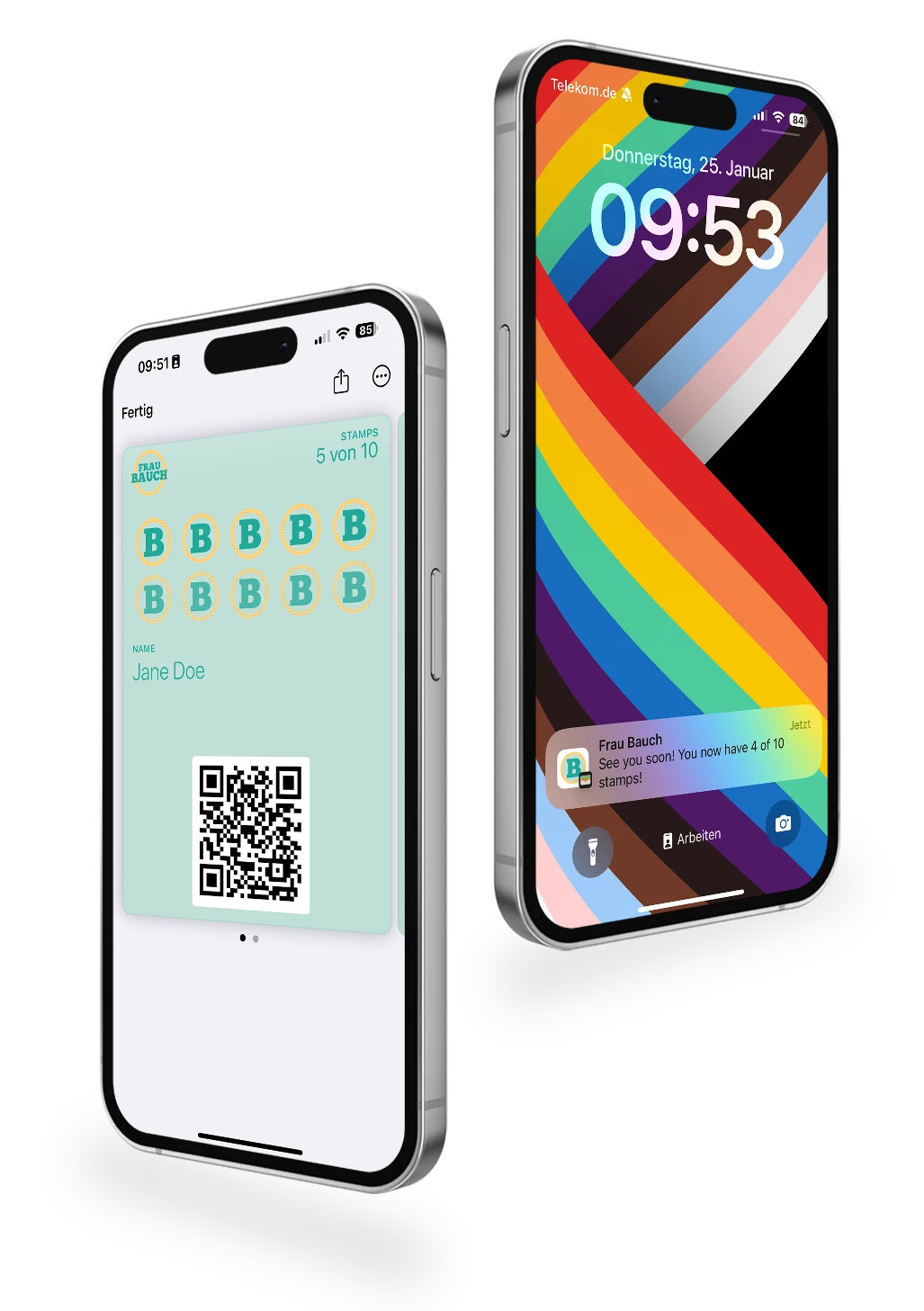
"Frau Bauch" (German for Mrs. Bauch) is running two stores in the larger Ingolstadt-area in Germany, one for kidswear and toys, the other one for womenswear and accessories. Frau Bauch is offering their digital stamp card through QR codes in-store that are scanned by customers. They then enter their data on Passcreator's built-in landing pages. At the POS, customers present their Wallet pass that is automatically shown on the lock screen using geo-based notifications. The pass is scanned using Passcreator Smart Scan which allows Frau Bauch-employees to add or remove stamps as needed.
Customers get one stamp per 25€ spent and once a stamp card is full, the clients get a 10% discount and the pass is reset and stamp collection starts again.
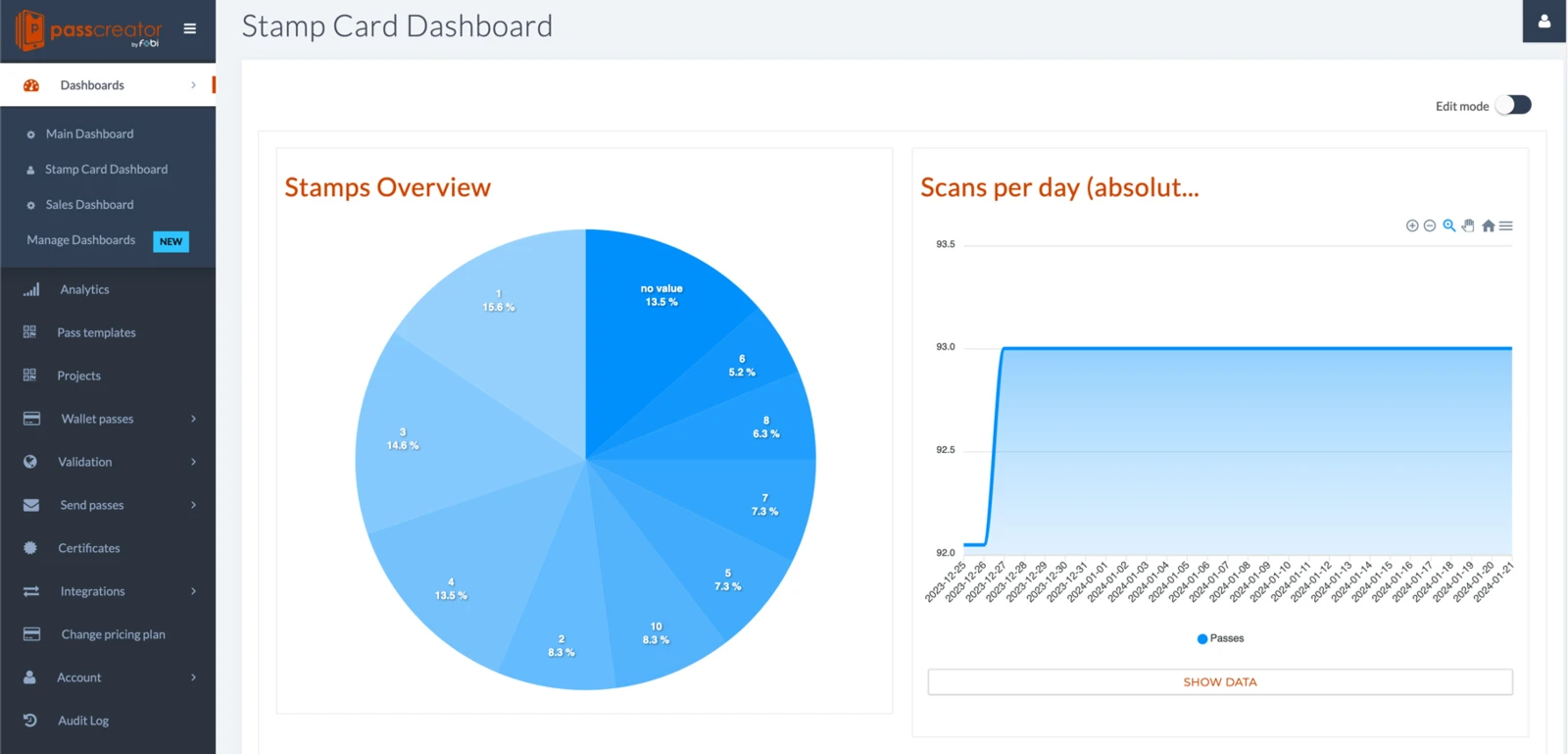
Using Passcreator's Dashboards, Frau Bauch can see the distribution of stamps across customers and can use the segmentation feature to send messages to e.g. only customers with less than five stamps to incentivize them to use current promotions.
Which businesses the digital stamp card suits
Any place where customers come back regularly. You set the rule yourself. A few examples.
Café and snack bar
One stamp per coffee, the tenth is free. The card appears on the lock screen as soon as the guest is nearby.
Bakery
One stamp per purchase above a set amount, a loaf of the customer's choice after eight stamps. A push notification announces the bread of the week.
Hair and beauty salon
One stamp per appointment, a free treatment on the fifth visit. Anyone who hasn't been in for a while gets a reminder automatically.
Retail
One stamp per €25 spent, 10% off when the card is full. That is how Frau Bauch runs it in her two shops.
Gym, car wash, farm shop
Every business with regulars can reward visits. A drink, a wash or a discount, you decide.
Data protection and security
Passcreator is ISO 27001 certified, GDPR compliant and hosts all data with a provider in the EU. You decide which data you ask for at sign-up.
We are an official partner of Apple, Google and Samsung and have been in the market since 2012. More than 13,000 companies in over 55 countries use Passcreator. Read more in our facts about Passcreator.
Frequently asked questions about the digital stamp card
Do my customers have to install an app?
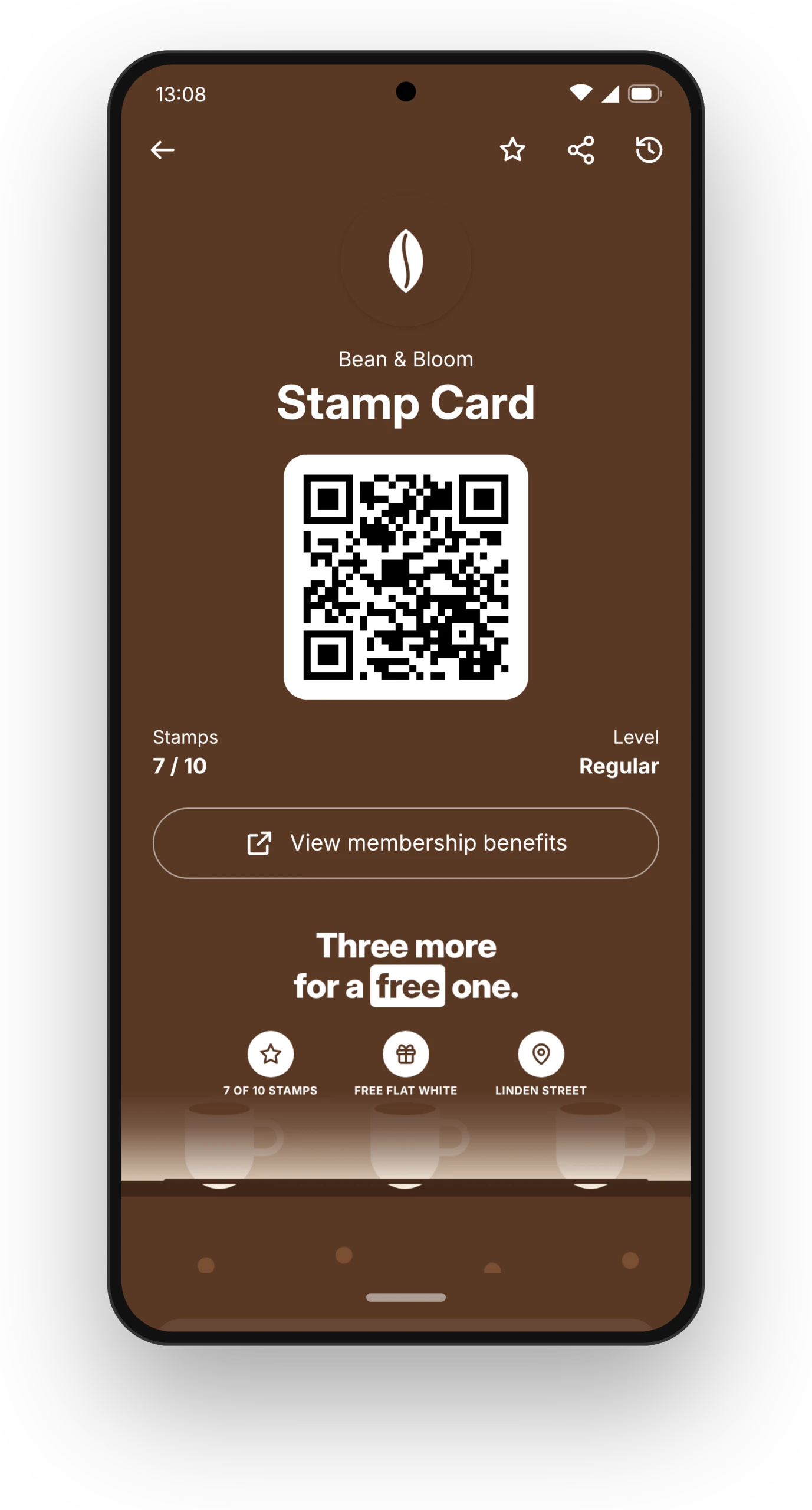
No. The stamp card lives in Apple Wallet on the iPhone or in Google Wallet on Android. Both apps are already on the phone.
What do I need at the till?
A phone or tablet with the Smart Scan app from the App Store or Google Play. You sign in with your Passcreator account and you're ready. You don't need a till system or a scanner. The app also works offline and syncs the scans once the device is back online.
What happens to the paper cards my customers already have?
Your customer saves the digital card, and on their next visit you add their existing stamps with the Smart Scan app. From then on they only collect digitally.
Can customers give themselves stamps?
No. Stamps only come from someone on your team scanning the card with the Smart Scan app. The app is linked to your Passcreator account.
Is the digital stamp card GDPR compliant?
Yes. Passcreator is ISO 27001 certified and hosts all data in the EU. You decide which data you ask for at sign-up.
What about customers without a smartphone?
They keep the paper card. Many businesses run both side by side for a while.
Can I connect the card to my till system?
Yes, if you want to. With Square this works through the Workflow Engine, with other systems through our API and webhooks. For a stamp card where every visit earns one stamp, you don't need a connection.
Can I design the card myself?
Yes. You set the logo, colours, texts, number of stamps and reward in the editor. Changes reach every card that is already in your customers' wallets.
Start your digital stamp card today
Sign up for free, design your card and put the QR code at the till. Your customers can collect their first stamps today.