
Privacy and GDPR
Requirements
- You need the privacy management privilege to see the Privacy and Contracts tabs. The Customer administrator role includes it.
Steps
To open the settings, click your name at the bottom of the sidebar, choose Account and open the Privacy tab.
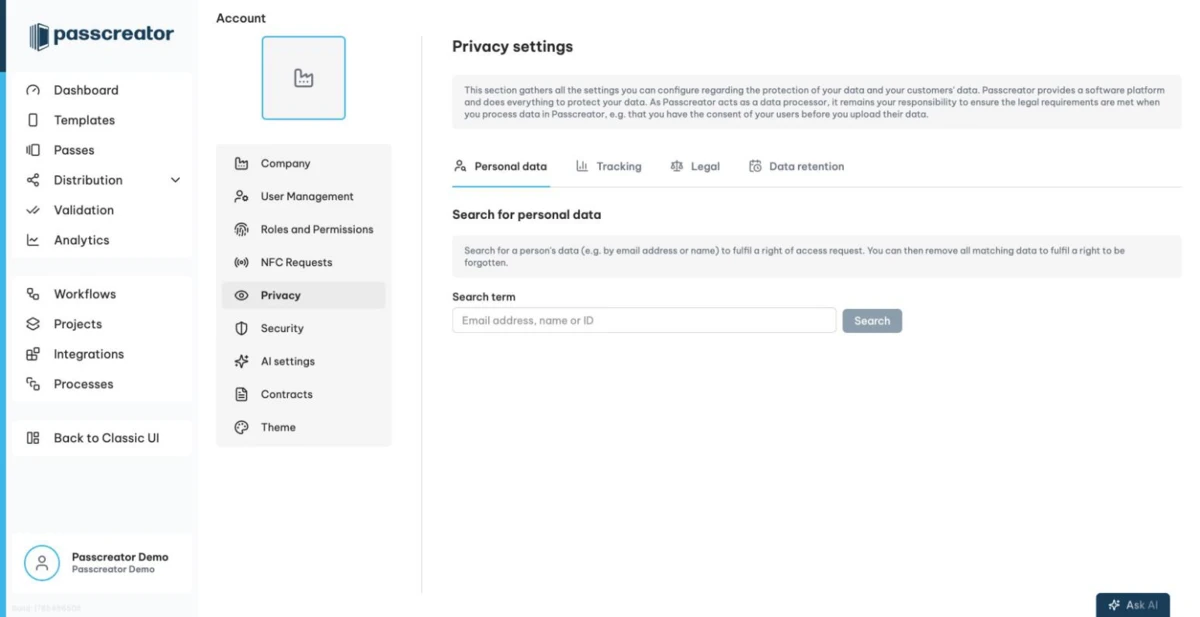
Fulfilling GDPR requests
The Personal data sub tab lets you search for a person's data, for example to answer a right of access request. You also remove the data there to fulfil a right to be forgotten.
- Enter an email address, name or ID into the Search term field and search.
- Review the results. Matching wallet passes lists template, pass ID, user provided ID and created date. Matching messages lists recipient, channel, subject and created date.
- To delete everything found, click Remove all matching data. The Remove personal data modal summarizes how many passes and messages Passcreator will remove.
- Confirm with Remove permanently.
Tracking
The Tracking sub tab contains four toggles.
- Enable tracking for integrations
- Enable tracking for public pages
- Enable reCAPTCHA for public pages protects your public forms from automated abuse.
- Show cookie banner on public pages
Turn tracking off if your privacy policy doesn't cover it or your legal requirements demand it.
Legal notice and privacy policy
On the Legal sub tab you maintain the legal texts your pass holders see.
- Legal notice is your imprint. Your users need to know who offers the passes they download, so fill this in before you distribute passes publicly.
- Link to data privacy statement is the URL of your privacy policy.
- Enforce data privacy checks on public pages requires users to accept your data privacy statement on public pages where they enter data, for example forms.
Data retention
The Data retention sub tab removes old data for you after a defined number of days. Each policy has its own toggle and a Days field with a minimum of 1.
- Remove passes that nobody added to a wallet
- Remove passes with no active registrations
- Remove passes older than the defined number of days
- Remove expired passes
- Remove passes not modified for the defined number of days
- Delete email messages older than the defined number of days
- Delete SMS messages older than the defined number of days
Click Show log to open the Data retention log, a timestamped record of what the retention policies removed.
Contracts and agreements
The Contracts tab, also under Account, lists your agreements with Passcreator. These are the Terms of use, the Privacy policy and the Data processing agreement, or DPA, as PDF downloads, along with the status and date of your DPA acceptance.
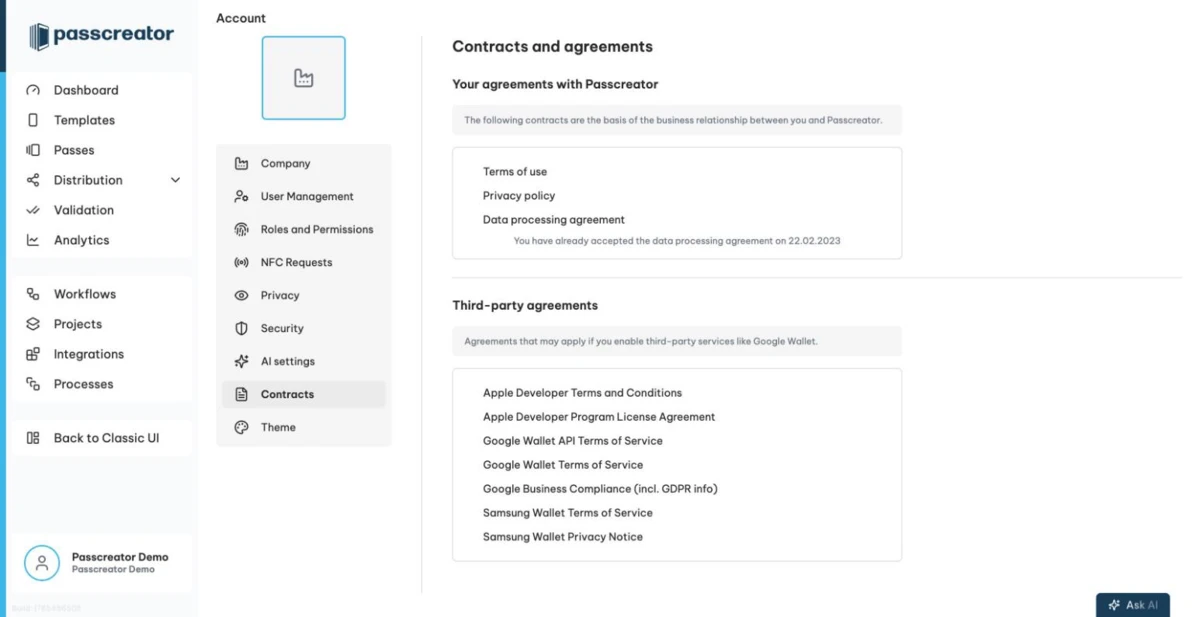
Below that, Third-party agreements collects the terms that apply when you enable third party services. These are the Apple Developer terms, the Google Wallet API and Google Wallet terms, and Google's business compliance information including GDPR notes. If your account has Samsung Wallet enabled, the Samsung Wallet Terms of Service and Privacy Notice appear as well.
Next step
Continue withSecurity settingsChecked 2026-08-20 · Documentation