
Company settings
Company settings apply to your whole Passcreator account. They cover the company name your pass holders see, the email addresses that receive notifications, the timezone for dates and times, and the export format for pass data.
Editing your company settings
- Click your name at the bottom of the sidebar and choose Account.
- Open the Company tab.
- Adjust the settings described below and save. You'll see the confirmation "Company settings saved successfully".
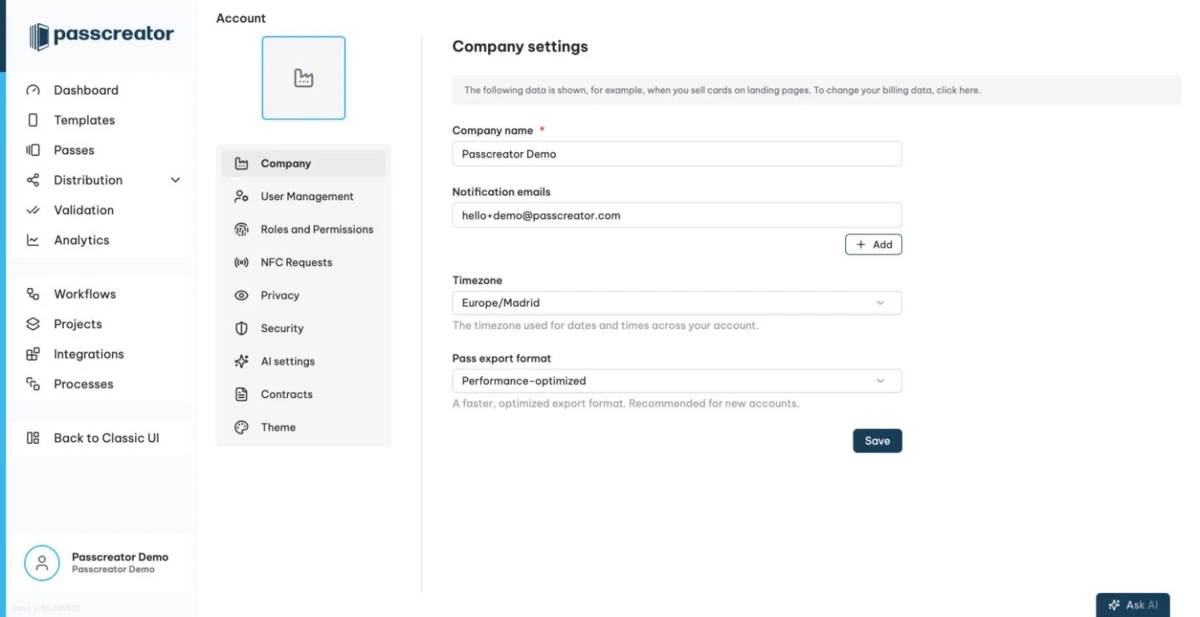
Company name
Your company name is required. Passcreator shows it in various places, for example when you sell passes on forms.
Notification emails
Notification emails is a list of addresses that receive account notifications from Passcreator. Click Add to add another address and Remove next to an entry to delete it. Each entry must be a valid email address.
Timezone
The Timezone select sets the timezone for dates and times across your account. Individual users can also set their personal timezone on the Profile page.
Pass export format
Pass export format controls the column layout of your pass data exports.
- Legacy format is the original export format. Use it if you rely on the existing field layout, for example because other systems import your exports.
Performance-optimizedis a faster, optimized export format. We recommend it for new accounts.
See Exporting pass data as CSV or Excel for how exports work.
Next step
Continue withSubscription and billingChecked 2026-08-20 · Documentation