Create Wallet passes with AI: Generate customer cards, tickets, and vouchers for Apple Wallet and Google Wallet using ChatGPT, Claude, Gemini and more


Digital customer cards, tickets, vouchers, membership passes for Apple Wallet and Google Wallet. For many teams, this is already a fixed part of their daily work. What is often underestimated is how many individual steps are involved before a wallet pass is fully designed and delivered to customers.
Searching for templates, filling in fields, importing data, selecting segments, triggering distribution. This takes time, especially when things need to move quickly or when creating many cards at once.
With the Passcreator MCP Server (https://mcp.passcreator.com/docs), you can create and manage wallet cards directly through an AI chat. You don’t need any technical knowledge or onboarding. You write a prompt, and the AI tool of your choice takes care of the rest.
What is an MCP Server?
MCP stands for Model Context Protocol and is an open standard that connects AI tools like ChatGPT, Claude, Gemini, or Copilot directly with external systems. Instead of only generating text, your AI can perform real actions within your tools.
In practice, this means your AI tool becomes a direct interface to your Passcreator account. You can create wallet cards, manage campaigns, and retrieve data simply by chatting with your AI.
You enter a request like:
“Create a digital customer card for Apple Wallet using the Premium Loyalty template for this contact list.”
And a few seconds later, the wallet cards are ready. In the background, your Passcreator templates are used, the data is processed, and the cards are created, while you sit back.
What you can now do with Passcreator using Claude, ChatGPT, and more
The difference becomes clear in execution. Steps that were previously prepared manually can now be triggered directly. With Passcreator, you can, for example:
- Create digital customer cards for loyalty programs in Apple Wallet and Google Wallet
- Set up vouchers and coupons for campaigns and send them automatically
- Generate digital tickets for events, trade shows, and conferences
- Issue membership cards for clubs, associations, or subscription models
- Update wallet cards: background images, point balances, field values
- Send push notifications directly to smartphones
- Retrieve campaign results instantly, without exporting data from a dashboard
And not just for individual cards, but also at scale:
“Create 1,000 digital customer cards for this list.”
“Create a voucher for Apple Wallet and send it to all new customers.”
“Create tickets for the event on Saturday and distribute them automatically.”
Watch our videos to see how Claude and Copilot create wallet passes for you using the Passcreator MCP Server:
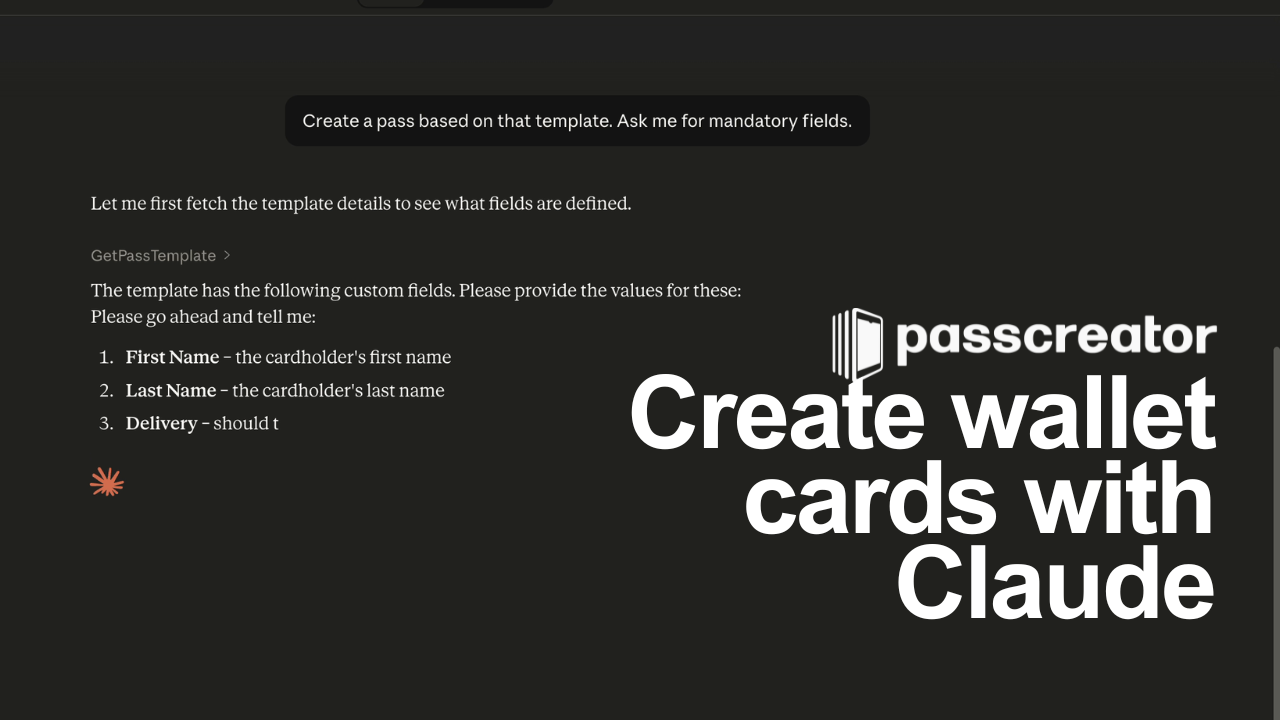
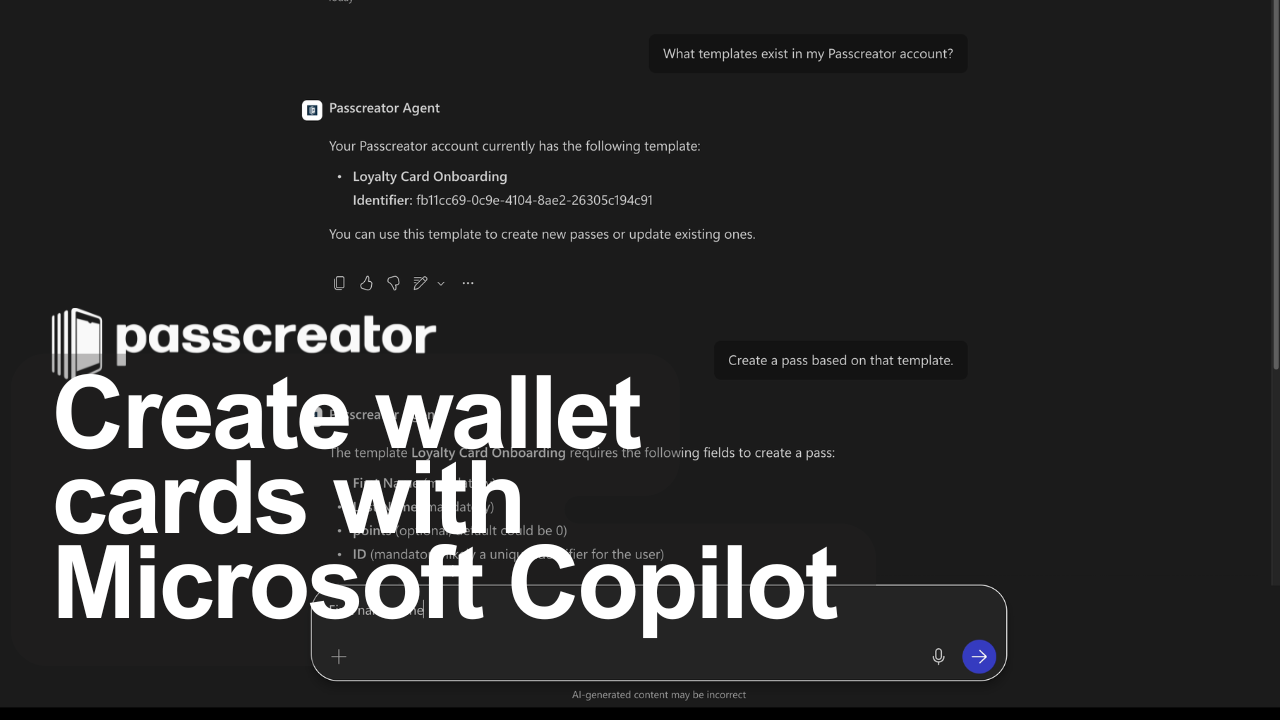
Create digital customer cards for Apple Wallet with AI
Many companies are looking for a way to create a digital customer card for Apple Wallet or Google Wallet without building their own app and without a complex setup. With Passcreator, this has always been possible. With the MCP Server, creating and managing these cards becomes significantly faster and easier.
Whether retail, fitness, or services, you can not only create customer cards, membership cards, and tickets faster, but also roll them out to entire target groups and update existing cards at any time.
Example prompts:
“Create a customer card for all contacts in this file using the Premium Loyalty template.”
“Update the background image of my customer card template for the summer campaign, here is the new image link.”
“Update the point balance of all cards in segment A to 500 points.”
Create and send vouchers with AI
Digital vouchers for Apple Wallet are a direct channel to your customers: visible on the lock screen, combined with location triggers and expiration dates. With the MCP Server, the voucher workflow becomes a single request.
Define your target group, select a template, start distribution. All in one prompt. Whether it’s a new customer voucher, a discount campaign, or a seasonal coupon.
Example prompts:
“Create a voucher with a 10 percent discount for all new customers and send it automatically.”
“Create a voucher for our top 100 customers from the last campaign and send it via email.”
“Which vouchers were redeemed in the last 14 days?”
Create digital tickets with AI
Events, trade shows, conferences, club events – here too, digital tickets for Apple Wallet and Google Wallet can be created and distributed directly using AI. What used to require multiple manual steps becomes a single request with ChatGPT, Gemini, and more.
Especially with larger attendee lists or last minute changes, such as updated entry times or new location details, this makes a noticeable difference. Push notifications sent directly to the ticket can be handled with a single prompt.
Example prompts:
“Create 500 digital tickets for the event on Saturday and send them to this list.”
“Send a push notification to all ticket holders: Entry starts at 6:30 PM, entrance north.”
Issue membership cards and IDs with AI
Clubs, associations, subscription models, insurance providers: anywhere members need a digital ID, Passcreator can be used. With the MCP Server, even organizations without deep Passcreator knowledge can manage their membership cards independently.
Onboard new members, update IDs, set expiration dates. Everything happens via a simple AI prompt, with no onboarding required.
Example prompts:
“Create a digital membership card for all new members in this file using the Standard Membership template.”
“Update all membership cards with the new expiration date December 31, 2027.”
“How many membership cards were created this month?”
Control push notifications with AI
Push notifications directly on the lock screen are the most effective channel in wallet marketing. No email, no app, just a message that appears exactly when it is relevant. At the point of sale, when an offer expires, or when event details change.
With the MCP Server, you can control this channel through a prompt. Define your audience, write the message, start the distribution, all in a single step.
Example prompts:
“Send a push notification to all wallet passes that haven’t been used in the last 30 days: Your benefits are waiting – redeem them now.”
“Write three variations of a push notification for our spring sale campaign, max. 100 characters.”
“Send a push notification to all ticket holders for the event on Friday: The event starts promptly at 7:00 PM.”
Manage and analyze Wallet passes
You can not only create and send tickets, vouchers, admission passes, and membership cards, but also analyze them directly. No dashboard, no export, no waiting time.
Example prompts:
“How many wallet passes were activated this week, broken down by template?”
“Which loyalty cards were issued but never added to a wallet?”
“Which loyalty cards were used most recently?”
You get the answers instantly and can act on them right away. Or store them in an analytics dashboard for long term analysis.
How to connect Claude, ChatGPT, Copilot and more with Passcreator in 2 minutes:
Connecting your AI tool of choice does not require technical knowledge. You need an active Passcreator account with an API key under Settings > API and an MCP compatible AI client, which most common LLMs support.
We provide step by step guides for:
- Claude Desktop (Anthropic)
- Claude Code (Anthropic - CLI)
- ChatGPT (OpenAI)
- Microsoft Copilot Studio
- Cursor
- Windsurf
...and all other MCP compatible clients
You can find the guides for all tools here: https://mcp.passcreator.com/docs
Conclusion: Fewer steps, more flexibility
With the Passcreator MCP Server, everyday work changes for anyone working with Wallet passes. Whether it is a digital loyalty card, voucher, admission ticket or membership card, implementation becomes shorter and more direct.
Many steps are eliminated. Processes become faster. Campaigns can be tested and executed without complex preparation or onboarding into the interface.
You only need the AI tool of your choice and a prompt. Passcreator takes care of the rest.
Start now!
Want to create wallet passes in seconds using an AI tool? Either create a free Passcreator account, or if you already have one, connect your Passcreator account to your AI in 2 minutes and get started right away.
→ Create a free account: app.passcreator.com
→ MCP documentation: mcp.passcreator.com/docs
Questions? reach out to us at support@passcreator.com.