
QR code generator
Passcreator includes a simple QR code generator for any purpose. Turn a form link, a pass download link or any other URL into a printable QR code. Download it as PNG or copy it as SVG.
Steps
Generating a QR code
- Open the profile menu at the bottom of the sidebar and choose Tools.
- Select the QR Generator tab.
- Enter the content in the Code Value field. Usually this is a URL like
http://www.example.com, but any text works.
The QR code preview updates live as you type.
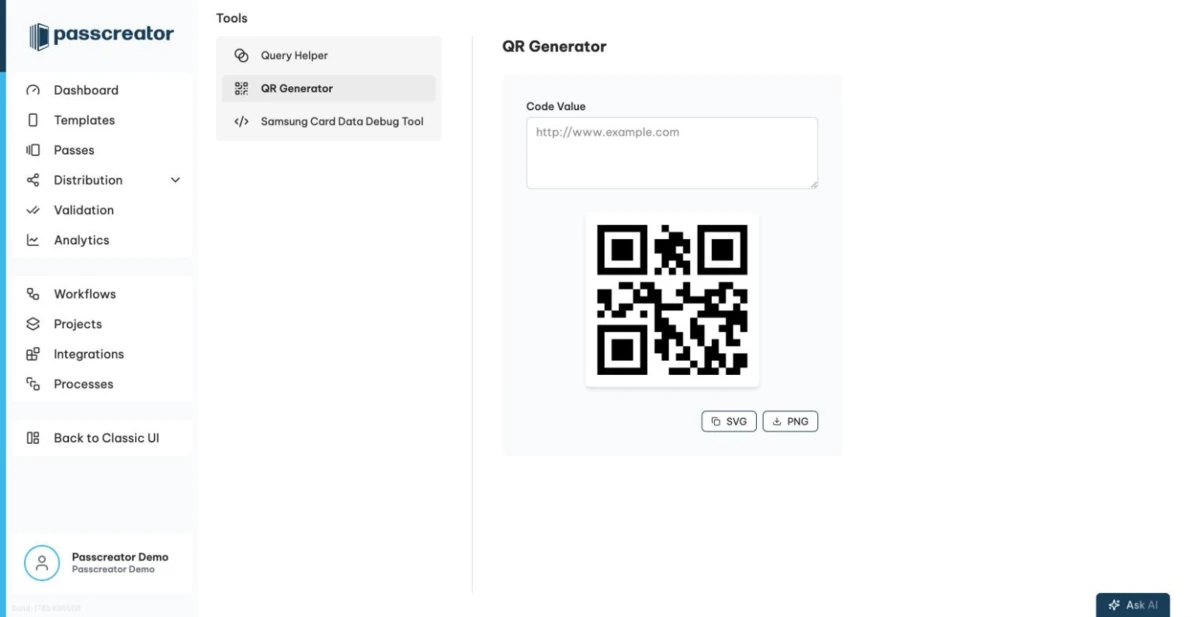
- Export the code.
- Copy as SVG puts the QR code on your clipboard as a vector graphic. This suits design tools and print material because it scales without quality loss.
- Download as PNG saves the code as
qr-code.pngfor quick use in documents, emails or presentations.
Many Passcreator objects already come with a QR code. Each pass row has a Show Download Link action with the QR code of its download page, and forms have Show Form Link. The signed link generator and the integration link generator render their links as QR codes too.
Next step
Continue withBarcodesChecked 2026-08-20 · Documentation